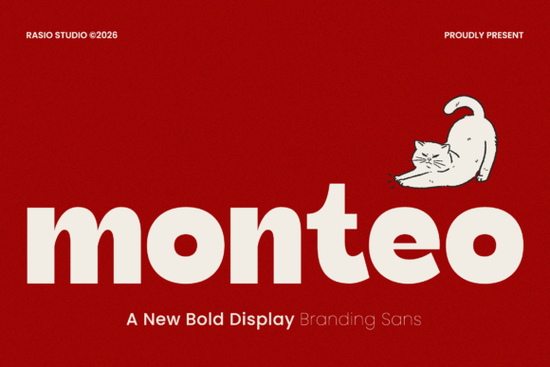
If you're looking for a bold, friendly sans serif that works just as well on a café menu as it does on an Instagram story, Monteo Font is worth your attention. It’s not overly decorative or fussy just clean, confident, and quietly playful. The rounded edges and strong geometric structure give it presence without stiffness, making it especially useful for small businesses and makers who need type that feels approachable but still professional.
What kind of projects does Monteo work best for?
Because it balances weight and warmth so well, Monteo shines in contexts where clarity and character matter equally. Think: food packaging labels, local shop signage, greeting cards, enamel pin designs, or even embroidery digitizing (when used with simplified outlines). Its uppercase and lowercase sets include full punctuation and numerals, so you’re covered for prices, dates, and short slogans no need to mix fonts just to get basic functionality.
It’s also built for flexibility: the scalable vector formats mean it holds up crisply whether you’re printing a 48” poster or sizing it down for a mobile ad. That reliability makes it a practical pick for print-on-demand sellers who juggle multiple product mockups mugs, tote bags, T-shirts without wanting to second-guess legibility at different sizes.
How does Monteo compare to other popular sans serifs on Creative Fabrica?
Monteo sits comfortably between friendly and functional less retro than Morning Sunshine Font, less condensed than Arnovia Expanded Font, and more grounded than Brunko Font. If you’ve tried those and found them too light, too narrow, or too stylized for everyday branding, Monteo might be the middle ground you’ve been missing.
For example, if you’re designing a seasonal bakery label and want something bolder than Morning Sunshine but less angular than Brunko, Monteo gives you rounded softness with structural confidence. It doesn’t try to be everything just clear, consistent, and quietly distinctive.
Is Monteo suitable for digital use like Canva, Cricut Design Space, or Silhouette Studio?
Yes. The package includes standard font formats (.OTF and .TTF), so it installs smoothly on Mac and Windows and works reliably in most design apps. You’ll see it render cleanly in Canva (when uploaded as a custom font), and it cuts cleanly in Cricut Design Space when converted to SVG for vinyl or iron-on projects. Just keep in mind that very tight spacing or ultra-small sizes (under 12pt in body text) aren’t Monteo’s strength it’s designed for headlines, logos, and short-form impact, not long paragraphs.
One helpful tip: pair it with a simple, neutral sans serif (like Inter or Open Sans) for supporting text. That contrast keeps your layout balanced without competing for attention.
Who typically chooses Monteo?
We see it used most often by:
- Small café or bakery owners creating their own menus and chalkboard-style social posts
- Print-on-demand creators building cohesive product lines (e.g., matching mugs, stickers, and notebooks)
- Crafters making SVG bundles for Etsy especially those focused on food, lifestyle, or vintage-adjacent themes
- Hobbyists designing wedding signage or baby shower invites who want modern-but-warm typography
It’s also a go-to for designers helping local clients refresh their visual identity on a budget. Since Monteo covers all the basics case variants, numbers, symbols there’s little need to layer extra fonts just to cover gaps.
Where can you preview or license Monteo Font?
You can view live previews, test character sets, and download the full package directly from Creative Fabrica. For reference, you can also explore similar options like Monteo Font, Brunko Font, or Arnovia Expanded Font to compare spacing, x-height, and curve tension side by side.
Before downloading, check the license terms Monteo includes both personal and commercial use rights, which covers selling physical products (like printed posters or embroidered patches) and digital goods (like Canva templates or SVG cut files), as long as you’re not reselling the font file itself.
Quick checklist before using Monteo:
- Install the font on your machine first don’t rely on web previews alone
- Test it at your intended size and medium (e.g., 40pt on a mug mockup, not just 100pt on screen)
- Verify kerning pairs if using it for logos some combinations (like “To”, “AV”, or “Wa”) may need minor manual adjustment
- Save a backup of your project file with the font embedded or outlined, especially before sending to print
- Double-check the license scope if you’re selling templates or editable files to others
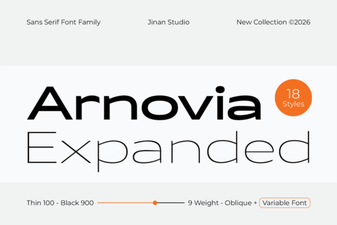 Expand Your Designs with Arnovia Font Variations
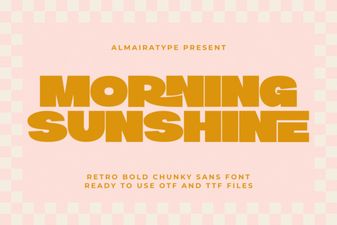 Morning Sunshine Font: Design Ideas & Free Download
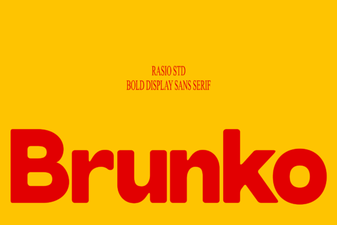 Brunko Font: Design Creativity & Usability Guide
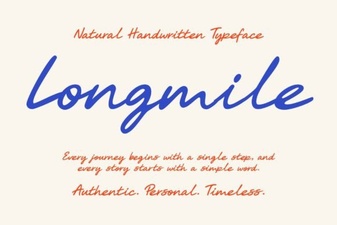 Longmile Font: Modern Geometric Typography for Designers
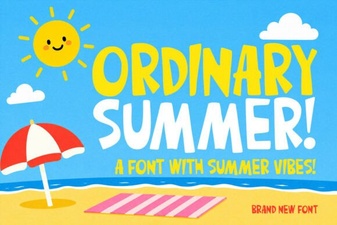 Easy Summer Fonts for Your Diy Projects
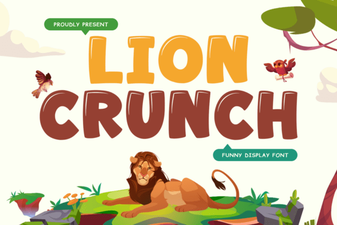 Download the Lion Crunch Retro Bold Font Free