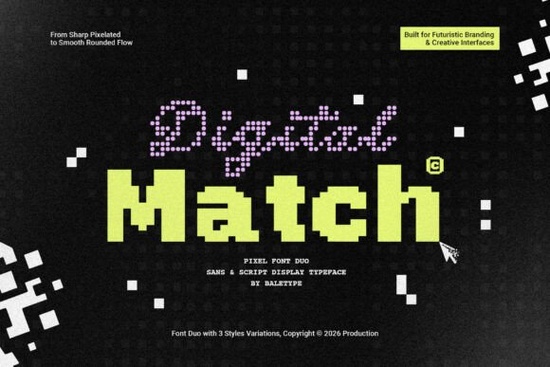
If you're looking for a clean, futuristic typeface that works across digital and print projects without feeling cold or overly technical the Digital Match Font is worth your attention. It’s a pixel-inspired font duo: one script and one sans-serif, each with three distinct weights or styles. That gives you flexibility without clutter no need to juggle ten variants just to get the right tone. Designers building tech event branding, indie game UIs, or even retro-futuristic merch will find it especially useful. And because it supports multiple languages, it scales well beyond English-only projects.
What makes Digital Match different from other pixel fonts?
Many pixel fonts lean heavily into 8-bit nostalgia think arcade cabinets or early web graphics. Digital Match keeps that digital texture but refines it. The script version has subtle connected strokes and soft edges; the sans-serif is crisp but not sterile. Neither feels like a throwback they read as intentional, contemporary choices. You’ll notice the spacing is generous, the x-height is friendly, and the letterforms hold up well at small sizes (like app buttons or social thumbnails) and large ones (like posters or wall decals).
It’s also built for real-world use not just aesthetics. For example, if you’re designing a logo for a small business launching a smart-home gadget line, the sans-serif variant gives clarity and approachability, while the script adds personality in headlines or submarks. Print-on-demand sellers appreciate how cleanly it renders on mugs, stickers, and t-shirts even when printed at lower DPIs.
How do the two styles work together?
The pairing isn’t forced. You don’t have to use both but when you do, they complement without competing. Try the light sans-serif for body text or captions, and the medium script for short headlines or quotes. Or flip it: bold sans-serif for titles, delicate script for taglines. Because both families share the same underlying rhythm and proportions, switching between them feels natural not like mixing two unrelated fonts.
This harmony helps avoid visual noise, especially important if you’re working with limited design time or tools (like Canva or Cricut Design Space). You won’t need extra kerning tweaks or manual alignment fixes to make things look balanced.
Who’s using Digital Match and where does it fit alongside other popular fonts?
We’ve seen crafters use it for laser-cut signs with LED backlighting, educators for classroom tech-themed worksheets, and indie developers for in-game menus. It fits neatly in collections with fonts like Main Street Traffic Font, which leans more playful and hand-drawn, or Lion Crunch Font, which brings bold, chunky energy. If your project needs something smoother and more precise than Varsity Texture Font’s grunge, or more modern than Kafu Font’s minimalist serif, Digital Match fills that middle ground thoughtfully.
Practical tips before you download
- Test language support early: If you’re designing for multilingual audiences, open the font file and check glyphs for accented characters, Cyrillic, or extended Latin sets don’t assume full coverage.
- Use OpenType features sparingly: Some weights include alternate characters or ligatures. Enable them only where they improve readability not just because they’re available.
- Preview at actual size: On screen, pixel fonts can look sharper than they’ll print. Zoom out to 50% or view on a mobile device to gauge real-world legibility.
- Pair wisely: Avoid stacking it with other highly stylized fonts. A simple geometric sans (like Inter or Roboto) or neutral serif (like Lora) often works better than another display font.
One last note: if you’re sourcing fonts for commercial use especially for products you plan to sell double-check the license terms included with Digital Match Font. It covers personal and commercial use, including POD platforms, but always verify the latest details in the product listing.
Next step: Open a blank document, install the font, and try setting a single sentence in both the script and sans-serif versions then step away for 30 seconds. Come back and ask: does it still feel clear? Does the mood match your project? If yes, you’ve found your starting point.
Get Started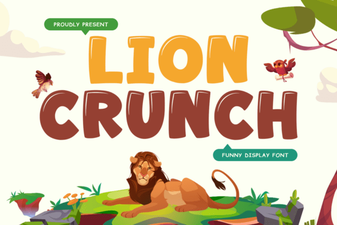 Download the Lion Crunch Retro Bold Font Free
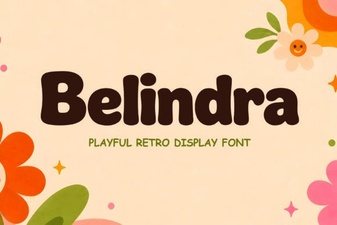 Discover Your Next Project with Belindra Font
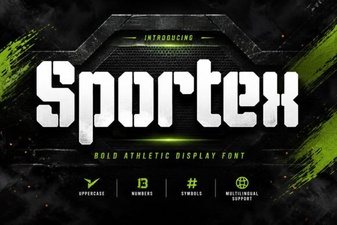 Sportex Font: Crafting Dynamic Sports Designs
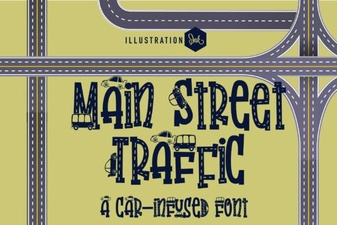 Fonts for Urban Traffic Signage Projects
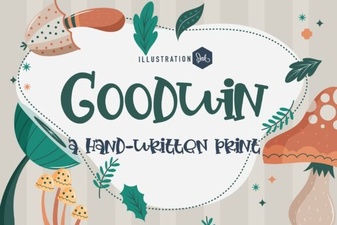 Goodwin Font: Creative Typography Projects & Ideas
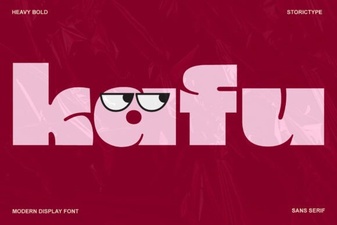 Kafu Font for Modern Web & Creative Projects