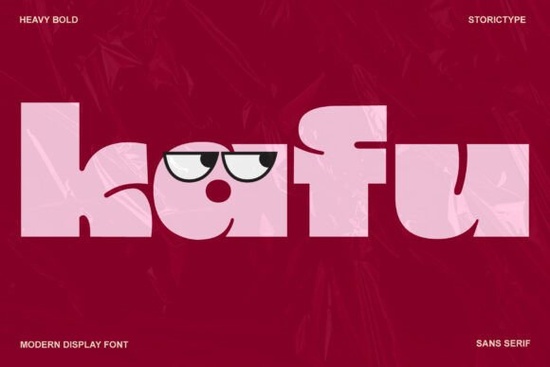
If you're looking for a bold, high-contrast display font that stands out without feeling cluttered or dated, Kafu Font is worth your attention. It’s not just another heavy sans it’s built with intention: clean architectural lines, tight spacing, and a confident rhythm that works equally well on a luxury product label or an Instagram story. Designed for impact but grounded in readability, Kafu fits naturally into modern branding, editorial design, and print-on-demand projects where visual clarity matters.
When does Kafu work best?
Kafu shines where you need instant recognition and strong hierarchy think magazine headlines, boutique packaging, apparel tags, or social media banners. Its high contrast (thick verticals paired with fine horizontals) gives it presence at larger sizes, while its geometric structure keeps it legible even when scaled down slightly. It’s not meant for body text, but it excels as a focal point: a logo wordmark, a poster title, or a limited-run greeting card headline.
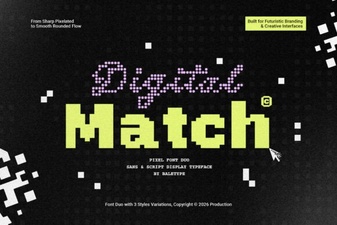
Because it’s a display font, pairing matters. Try Kafu with a neutral, open sans like Inter or a soft serif like Lora for balance. Avoid overly decorative companions Kafu carries enough personality on its own. If you’re exploring alternatives within the same stylistic family, Urban Blast offers a more energetic, streetwise edge, while Sportex leans into athletic boldness with rounded terminals. For something similarly refined but with subtle tech-inspired curves, Digital Match is a thoughtful option.
Who uses Kafu and why?
Small business owners launching a new skincare line or handmade jewelry brand often choose Kafu because it conveys confidence without shouting. Its precision feels intentional like the brand has thought through every detail. Print-on-demand sellers use it for minimalist t-shirt designs or enamel pin mockups where clean, scalable letterforms hold up across fabric, metal, and digital previews.
Crafters building Canva templates or Procreate brush kits appreciate how Kafu converts cleanly to outlines and works smoothly with layer effects no unexpected gaps or rendering hiccups. Designers working on editorial layouts (think indie zines or fashion lookbooks) rely on its consistency across weight variations and language support it includes extended Latin characters and basic diacritics, making it usable for bilingual projects in English, Spanish, French, and Dutch.
It’s also compatible with common design tools: fully functional in Adobe Creative Cloud (Illustrator, Photoshop, InDesign), Figma, Canva (via upload), and Cricut Design Space. No extra plugins or workarounds needed just install and use.
How does Kafu compare to other bold display fonts?
Unlike Lion Crunch, which leans into playful distortion and exaggerated proportions, Kafu stays restrained and architectural. It doesn’t rely on quirks to stand out instead, it uses proportion, contrast, and spacing to command attention. Compared to Kafu’s closest sibling in tone say, Neue Haas Grotesk Bold Kafu adds more deliberate contrast and tighter kerning, giving it a sharper, more contemporary feel.
If you’ve tried fonts like Kafu Font, Lion Crunch Font, or Urban Blast Font, you’ll notice Kafu sits in a sweet spot: bolder than most geometric sans-serifs, but less aggressive than ultra-condensed or distressed display options.
Practical tips before you download
- Test it at real size: Preview Kafu at the exact point size you’ll use especially if applying it to physical products like mugs or tote bags. What looks crisp on screen may soften in print or embroidery.
- Check licensing early: The standard license covers personal and commercial use, including unlimited end products (like selling POD items), but excludes resale of the font file itself or use in apps/software. Always verify the latest terms on the product page.
- Pair wisely: Use Kafu for headlines only not body copy. Combine it with a highly legible, low-contrast companion font for supporting text.
- Try it in context: Drop Kafu into your actual project file before finalizing. Adjust tracking manually if letters feel too tight some all-caps settings benefit from +20–40 units of letter-spacing.
If you’re already using display fonts like Urban Blast or Sportex and want something more refined or if you’ve been searching for a bold font that feels both modern and timeless Kafu is a straightforward, reliable choice. It won’t solve every design problem, but it handles its role with quiet confidence.
Download Now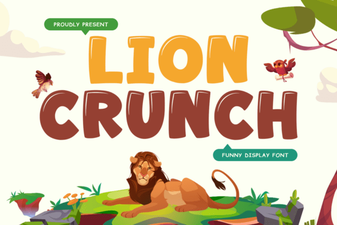 Download the Lion Crunch Retro Bold Font Free
 Creative Font Matching for Modern Design
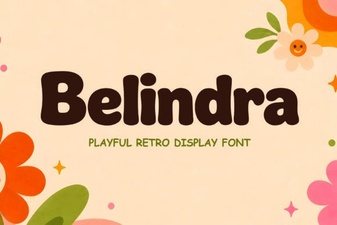 Discover Your Next Project with Belindra Font
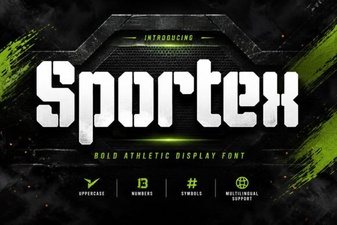 Sportex Font: Crafting Dynamic Sports Designs
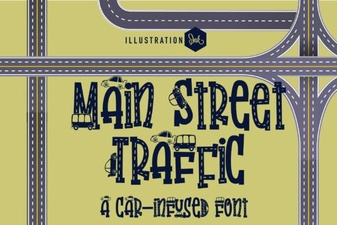 Fonts for Urban Traffic Signage Projects
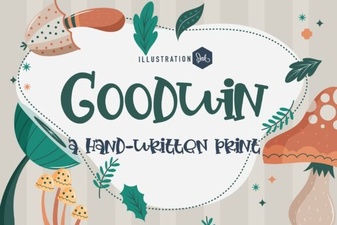 Goodwin Font: Creative Typography Projects & Ideas